Artwork / Entry №188 / CD Cover Design
How to design a CD cover that pops at the merch table
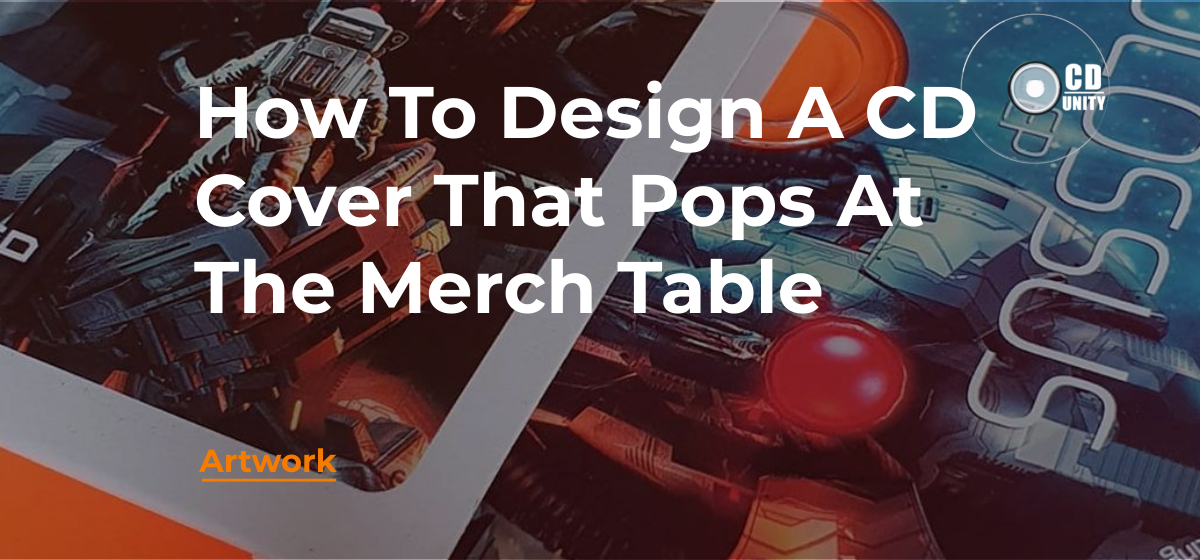
The merch table is a brutally honest design critic. You’ve got about two seconds of attention from someone walking past a row of CDs in a darker corner of a gig venue, and your cover either grabs them or it doesn’t.
Most CD cover design advice assumes the cover lives on a screen. It doesn’t. It lives in a stranger’s hand under harsh lighting, next to four other bands’ artwork, ten minutes after they’ve watched you play.
I’ve been doing graphic design for bands for nearly 15 years, and I see the same thing every week at CD Unity. The artists who think about the merch table from the start end up with a cover that actually sells. The ones who don’t end up with a cover that looks great on Instagram and gets ignored at the gig.
Key Takeaways
- The merch table is a 2-second test. Your CD cover design has to read across a dim room before anyone picks it up.
- One bold central image beats five clever ones. Simplicity reads at distance. Detail reads in the hand.
- Contrast is the single biggest lever. Strong tonal contrast between the main subject and the background makes a cover shine.
- Type has to be big and legible. Your band name and album title should be readable from a few feet away.
- Premium finishes do real work. Texture, weight, and matte versus gloss change the feel in the hand, and the feel is what closes the sale.
Here’s the situation your CD cover is actually competing in. Someone has just watched your set. They wander to the back of the venue. The merch table is on a black cloth, badly lit, with five other bands’ CDs lined up next to yours. They glance at the whole row for about two seconds before either picking one up or carrying on.
If your cover doesn’t read in those two seconds, it doesn’t get touched. If it doesn’t get touched, it doesn’t get bought. That’s the whole game.
So forget social media for a second. Forget how the cover looks on a streaming thumbnail. The merch table test is harder. It’s the test where bad CD cover design dies quietly.
What passes the test
Covers that pass tend to have these things in common:
- One bold central image or shape that you can read from across a room
- Strong tonal contrast (light against dark, or bright colour against a neutral)
- A band name and album title that are big enough and clear enough to read from a few feet away
- A clean, uncluttered composition with breathing room around the main element
What fails the test: tiny type, busy backgrounds, low-contrast colour palettes, too many ideas fighting for attention. If you’ve ever stood at a merch table and a cover has just disappeared into the row, that’s usually why.
Every iconic album cover has one thing your eye lands on first. The pyramid on Dark Side of the Moon. The banana on the Velvet Underground. The naked baby on Nevermind. One image, doing all the heavy lifting.
This isn’t accidental. Album cover design that lasts works the same way photographs do. A single subject, with everything else supporting it rather than competing with it. When you’re trying to create a CD cover, your first job is to decide what the eye lands on.
That focal point can be almost anything. A photograph of one of you. A symbol. A piece of original content you’ve commissioned or made yourself. A bit of typography treated as image. It doesn’t matter what, as long as it’s one thing and it earns its place at the centre.
What kills a focal point
Three things tend to murder a good focal point:
- Stock photo collage. Five overlapping stock images with mismatched lighting will always look like five overlapping stock images.
- A logo competing with the image. Your band logo should support the cover, not fight it for attention. Sit it somewhere quiet.
- Too much text floating around. Track listings go on the back. The front is for the focal point and the title. Strip everything else out.
Of all the things I see go wrong in CD cover design, low contrast is the most common and the most fixable. Two muted tones sitting next to each other will always look weaker than light against dark, or a saturated colour against a desaturated background.
The reason matters. Under a dim merch table lamp, subtle colour differences disappear. A pale green title on a pale blue background that looked fine on your monitor turns into mush in real life. A black-and-white cover with a single hit of bright red, by comparison, punches across the room.
You don’t have to go monochrome. Just check the contrast. A simple test: convert your design to greyscale. If the cover still reads when you strip the colour out, you’ve got good contrast. If it dissolves into a grey mush, the design depends on colour information your eye can’t reliably pick up in a real environment.
Where to put the contrast
Save your strongest contrast for the two things you most want people to read:
- The band name
- The album title
Everything else (the imagery, the texture, the supporting graphic elements) can sit in a quieter range, but those two pieces of text need to fight their way out of the cover. If a stranger walks past and reads your band name, you’ve won half the battle. They might not pick up the CD this gig, but they remember the name for next time.
— A free CD sample —ECO CDS YOURSELF
Once your cover catches someone’s eye, the next thing it has to do is feel good in the hand. This is where physical CDs absolutely beat streaming, and it’s the part most artists underuse.
The format you press on matters as much as the artwork. A glossy jewel case feels different from a soft-touch matte digipak. A recycled card sleeve has texture you can feel with your thumb. An Ecopak has a tactile, almost paperback-book quality that draws people in. At CD Unity we press all of those, and the feedback we get from artists is consistent: the format people remember is the format that felt different in the hand.
Premium finishes worth considering
If your budget can stretch, a few finish choices punch above their cost:
- Matte lamination on a jacket or sleeve. Reduces glare, feels softer, hides fingerprints. Looks premium without being flashy.
- Spot UV. A glossy varnish applied only to certain elements (your logo, a title, an image) creates a tactile contrast against a matte finish.
- Uncoated recycled card. Plays well with darker, earthier album cover art. Has a natural, hand-made feel.
- Embossing or debossing. Raises or sinks part of the design into the card. Expensive, but feels genuinely high-quality.
You don’t need all of these. Pick one or two that suit your music. A folk album wants different packaging from a metal record. A jazz trio wants something different from an indie rock band. The format should reinforce the mood of the music.
Once you’ve nailed the design, you need to get it print-ready properly. This is where good designs go wrong at the last minute. A beautiful CD cover can come back from the printer looking blurry, cropped wrong, or with colours that don’t match what you saw on screen. Avoidable, but only if you sort the technical bits up front.
The essentials
- CMYK colour mode. Print uses CMYK ink (cyan, magenta, yellow, black). Your screen displays RGB. Convert your design to CMYK before exporting so what you see is closer to what you’ll get.
- 300 DPI resolution. High-quality images at 300 dots per inch is the minimum for crisp print. Pulling a photo from Instagram and stretching it to fit will give you a soft, blurry result.
- Bleed. Add 3mm of artwork beyond the trim line on every edge so the printer can cut without leaving a white border.
- Outlined fonts. Convert your text to outlines (in Adobe Illustrator) or rasterise it (in Adobe Photoshop) so the printer doesn’t substitute your fonts for something ugly.
- Export as PDF. Print-ready PDF with crop marks and bleed is the standard. Save it from Illustrator or Photoshop with the right settings.
Use the right template
Every format has its own dimensions. A card sleeve is different from a digipak, which is different from a jewel case insert, which is different from a CD booklet. Don’t try to guess. Use the template from your pressing plant. Ours are available on the CD Unity templates page as a free download. They include all the dimensions, bleed areas, spine widths, and tray cut-outs you need. Drop your design into the template, line everything up, export to PDF, upload to us. Done.
If any of this feels overwhelming and you’d rather just hand it over to a designer, it’s worth reading what to know before briefing one first, and our graphic design service for CDs and vinyl covers album artwork from sketch to print-ready files.
Lock today’s price.
Press CDs in 12 months.
Most artists aren’t ready to press the day they finish a song. Lock today’s CD bundle prices and use them anytime in the next 12 months.
Your CD cover doesn’t live alone. It sits inside a wider visual world that includes your Instagram grid, your gig poster, your streaming thumbnail, and the t-shirt you might sell next to it on the merch table.
The bands whose merch tables actually sell tend to have one thing in common. Consistency. The same fonts, the same colour palette, the same visual language across the cover, the poster, the t-shirt, the social media tiles. When someone glances at the table and sees three or four items that clearly belong together, the whole thing feels like a proper artist project rather than a few loose pieces of merch.
Three quick consistency tips
- Pick two fonts and stick to them. One for headlines (your band name, big titles) and one for body text (track listings, credits). Use them everywhere.
- Lock in a small colour palette. Three or four colours, maximum. Use them on the cover, the back, the booklet, the poster, your Instagram tiles, your new music announcements.
- Use the cover image as a system, not a one-off. Crop tighter for a streaming thumbnail. Crop wider for a social media banner. Same image, different framings. Builds recognition without needing five separate pieces of album cover art.
This same logic applies to your CD case insert and booklet. If the cover sets the visual rules, the booklet should follow them. A booklet that looks like a different band designed it breaks the spell.
The single best habit you can build as you design your CD cover: mock it up at real-world size before you sign off on the print files. Print it at home on the closest paper stock you’ve got. Cut it to size. Put it next to other CDs you own. Walk away. Come back. Look at it from across the room.
You’ll see things on a physical mockup you can’t see on a screen. Text that’s too small. A composition that’s lopsided. A colour that looked rich on monitor and looks washed-out in print. A focal point that disappears when you’re three feet away.
Better designers do this without thinking. Every working graphic designer I know prints test sheets constantly. If you’re DIY-ing your own CD cover design as a debut artist, build this habit early. It’s the single biggest jump in quality you’ll get for zero cost. A custom CD cover that looks great on a Macbook and bad on a merch table is worse than no cover at all.
What to check on your mockup
- Can you read the band name from across the room?
- Can you read the album title?
- Does the focal point still hold attention at small size?
- Do the colours feel right under warm indoor lighting?
- Does it feel like something you’d want to own?
That last question is the most honest one. If you wouldn’t pick it up off a stranger’s merch table, no one else will either.
Frequently Asked Questions
Do I need Adobe Photoshop or Illustrator to design a CD cover?
No, but they help. Photoshop is best for image-heavy designs (photographs, textures, painterly artwork). Illustrator is best for typography-led or graphic designs that need crisp vectors. If you don’t have either, Canva and Affinity Designer are reasonable alternatives. The key is that whatever tool you use, you can export a print-ready PDF in CMYK at 300 DPI with bleed. If the software can’t do that, you’ll need to find one that can or hand the files over to a designer at the end.
How big should my band name be on the cover?
Big enough to read from a few feet away. As a rough rule, on a standard 121mm square CD cover, your band name and album title should each take up at least 8-12% of the height of the cover. If they’re smaller than that, they vanish at distance. Better too big than too small.
Can I use AI-generated images for my album cover art?
Technically yes, but there are catches. AI-generated images currently sit in a grey area around copyright and ownership. Some pressing plants and distributors are starting to ask questions. Streaming platforms have also begun flagging AI-generated covers in some territories. If you do go down this route, treat the AI image as a starting point and edit it heavily in Photoshop so it becomes original content, rather than uploading the raw output.
Should my CD cover match my Spotify thumbnail exactly?
Yes, the main artwork should match across CD, vinyl, and streaming. Consistency is what builds recognition. Your distribution provider will need a square 3000 x 3000 pixel JPG of the front cover for Spotify and other streaming platforms. Use the same image you used on the CD, just cropped and exported to the right specs.
What’s the most common mistake you see at CD Unity?
Type that’s too small. Without fail, the biggest issue I see from artists who design their own covers is band names and album titles that look fine on a Macbook screen but disappear when the CD is in your hand. A close second is low-resolution images stretched too big, which come out blurry. Both are easy to fix if you check before sending the print-ready files in. Both are extremely hard to fix once 500 CDs have been printed.

Hello, I’m Josh, and I’ve been honing my graphic design skills for almost 15 years now, catering to the needs of bands and businesses alike. What really fascinates me is the business aspect of the music industry. In addition to my design work, I also happen to play the Hammond organ, and I strive to share my knowledge through helpful articles that I write exclusively for you all!